

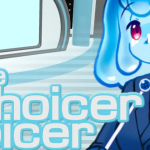



What happens when a voice impression party game gives you a studio, a judge panel, and a host — but no actual content to perform? That is the exact question you face when The Choicer Voicer launches for the first time, and how you answer it in those first minutes determines whether the session ever gets started at all. The game is not missing something by accident. The empty content library is a deliberate design decision built around Voice Packs: community-made and user-built folders of audio clips that supply every prompt, every reference line, and every sound the game needs to run a round. Install one before the first session, and The Choicer Voicer becomes an immediately playable voice impression game show. Skip that step, and the studio will wait for you, fully decorated and entirely silent.
| Genre | Party / Voice Impression |
| Platform | Windows, Linux |
| Players | 1–4 local; Twitch Mode |
| Modes | Standard Rounds, Dub Mode, Twitch Mode |
The Impression Loop at the Center of The Choicer Voicer
Every round in Choicer Voicer follows the same pattern. A reference clip plays from the loaded Voice Pack, you have a brief window to perform your impression into the microphone, and five judges score the result on a scale of zero to five. The waveform from your take appears next to the reference on the same timeline, so the visual gap — or alignment — between the two curves tells the story before the numerical score does. The judge panel's animated reactions play out as the scoring completes, and because those reactions appear in sequence rather than all at once, there is a half-second of genuine suspense between the last judge finishing and the total appearing on screen.
The game does not reward simply reproducing the words. Pitch, pacing, and the energy of delivery all factor into how well your waveform matches the reference. A take where every syllable lands in the right place but the performance was quiet will score lower than a committed, in-character delivery at consistent microphone distance. The community term for this phenomenon — getting the impression right but the waveform wrong — is something players run into in the early sessions and take a few rounds to diagnose, because the instinct is to assume accuracy matters more than amplitude. It does not, at least not in isolation.
By the time a group has run through a full Voice Pack, the pattern becomes legible. Clips from familiar source material score higher on average because players already know the rhythm and character of the line before the prompt plays. Clips from obscure sources create harder rounds where guessing the delivery style from the waveform display alone, after the reference plays, becomes part of the challenge. Choosing pack material that sits between too familiar and too obscure — recognizable enough to attempt confidently but demanding enough to require real effort — is where experienced groups start making deliberate curatorial decisions about what to load.
Dub Mode and What It Reveals About The Choicer Voicer
Dub Mode, added in version 0.5.0, removes scoring entirely and replaces the impression loop with a line-by-line voiceover session over a Dub Pack video scene. You record each line with as many retakes as needed, but the crucial constraint is that none of your recordings play back until the full scene is finished. Then the game runs all your takes over the original video at once, as a complete dub. That deferred reveal — hearing what you actually did rather than what you thought you were doing — is a feature players either find compelling or quietly unsettling, depending on how the recordings turned out.
The practical challenge in Dub Mode is consistency. Short impression rounds test a single moment of accurate mimicry. Dub Mode tests whether you can make the same character choice across ten or fifteen separate recordings and have the result feel like one continuous performance. Vocal drift between the first and last line of a scene is the most common problem: the character voice you committed to in line one has usually shifted in pitch or energy by line eight, and the final playback makes the drift obvious in a way that individual takes never revealed.
Dub Packs with Dub Mode support display a dedicated icon in the pack list since version 0.5.1, which makes it easy to identify compatible content without having to attempt a session and discover the format is not supported mid-setup. Players who want to run Dub Mode sessions benefit from loading the Dub Pack scene before a group session begins and checking that the timing markers on the waveform strip are displaying correctly — a step that takes under a minute but prevents the frustrating experience of discovering audio sync problems after everyone in the room is ready to start.
Building and Installing Voice Packs
A Voice Pack is a folder of audio files organized to match the game's slot structure. Each file fills a specific role: a prompt clip for impression rounds, a host line between rounds, a judge reaction tied to a score range, or background audio for the menu. Making a basic Voice Pack requires nothing more technical than placing correctly named audio files — WAV, MP3, or OGG — into the right folder locations, then dropping the pack into the packs_voice folder accessible from the main menu. The in-game metadata editor, available since version 0.5.0, lets you add captions, tags, and timestamps without editing files manually.
The most common mistake when building a pack is including clips with quiet audio. The scoring algorithm is sensitive to waveform amplitude, and a pack with consistently low-volume reference clips produces lower scores across the board regardless of how accurately players imitate them. Normalizing audio volume before adding clips to a pack — ensuring the peak amplitude reaches a consistent, healthy level — is the single most impactful technical step a pack creator can take. This is flagged in the official guidance and comes up frequently enough in community discussions that it functions as a known standard in pack-building circles.
Once a pack is installed and working, the next consideration is scope. A compilation pack — one containing clips from many different sources rather than focusing on a single franchise or character — gives a group more variety per session and reduces the likelihood that one player dominates because of stronger familiarity with a specific source. Thematic packs, on the other hand, create sessions with a coherent identity where the host, judge reactions, and clips all reinforce the same mood. Both approaches work, and many groups maintain a library of both types and select based on what the session calls for.
What Players Debate About The Choicer Voicer
The lack of built-in content is the most consistent point of friction in community discussions, and opinions split fairly cleanly. Players who see The Choicer Voicer as a content platform embrace the empty base as a feature — the game becomes whatever your pack library makes it, with no default clips to get tired of. Players who expected a game with a built-in impression challenge, a progression of unlockable material, or a campaign of any kind tend to find the setup stage disorienting and the lack of native content a genuine missing feature.
The Godot engine recording bug sits at the center of a separate ongoing discussion. Affected players on specific audio configurations — surround sound setups, virtual audio routing — find that the game cannot record microphone input despite detecting the device correctly. The No Gameplay Demo addresses this by providing a mic test before any purchase is required, and switching to stereo audio output resolves the problem for most setups. The bug is acknowledged openly, has been present since early versions, and remains unresolved at the engine level. Players on standard stereo configurations do not encounter it, but those who do encounter it early in their first session sometimes do not connect the symptom — silence in the recording — with the correct diagnosis before giving up.
The absence of online multiplayer is a third point of ongoing discussion. The local play limit of four players is generous for a party game played in the same room, and Twitch Mode extends the group size effectively for streamers. But The Choicer Voicer has no mechanism for networked play between remote players, and groups who want to run sessions across different locations currently have no supported path to do that within the game itself.
The Choicer Voicer is a game that rewards the effort you put into it before the first clip plays. A session with a matched Judge Pack, a well-normalized Voice Pack, and clips that the whole group recognizes runs at a pace that feels like a real production — the host fills gaps, the judges react with personality, and the waveform scoring gives every take something concrete to discuss afterward. Players who stick with The Choicer Voicer past the first blank-studio moment tend to build libraries of packs they return to regularly, and by the time Dub Mode becomes familiar territory, the judgment of a five-judge panel starts to feel like the fairest critic most players have ever performed for.