



High invoice volumes create a bottleneck when finance teams must manually bridge gaps between accounting software, ERP systems, and billing applications. This dependence on manual uploads and repetitive data entry not only slows down daily operations but also increases the risk of errors in electronic invoicing workflows. Connecting existing systems with an e-invoicing workflow can reduce manual work and help businesses manage invoice processing more efficiently.
For companies planning this transition, UAE e-invoicing API integration can help connect existing business applications with an electronic invoicing service. The right approach depends on the software a company already uses, the structure of its invoice data and the technical requirements of its chosen service provider.
What Is API Integration in E-Invoicing
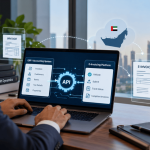
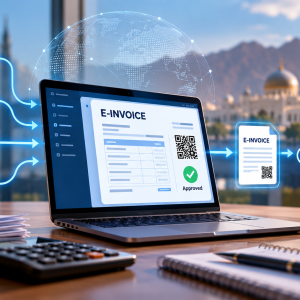
An Application Programming Interface (API) allows two software applications to exchange information through defined requests and rules. In an invoicing environment, an API can connect an ERP or accounting application with an external e-invoicing platform.
For example, imagine a distributor that generates hundreds of invoices through its ERP system. Without an integrated workflow, employees might need to export invoice details, upload them to another application and check the processing status separately. An API-based connection can automate some of these steps, depending on the capabilities of the systems involved.
This reduces the need for repetitive manual work and can make invoice information easier to manage across applications. However, an API connection alone does not guarantee that an invoice meets regulatory requirements. Data mapping, validation, processing and status tracking still need to be handled correctly.
How Can API Integration Simplify E-Invoicing
API integration can improve several parts of an electronic invoicing workflow when it is planned around the company's actual processes.
1. Reduce repetitive data entry
When two systems exchange invoice information automatically, employees may no longer need to enter the same details into multiple applications. This can reduce avoidable data-entry mistakes and free finance teams to focus on reviewing transactions and resolving exceptions.
The amount of automation depends on the source software, the quality of the existing data and the integration's configuration.
2. Connect existing ERP and accounting systems
Businesses may already use platforms such as SAP, Oracle, Microsoft Dynamics or other accounting applications to manage financial transactions. Replacing these systems solely to introduce electronic invoicing may not be necessary if a compatible integration approach is available.
Before implementation, companies should check whether their existing software supports the required connection, whether custom development is needed and which invoice fields must be transferred.
3. Improve invoice validation and error handling
Structured invoice data must follow the applicable technical and regulatory requirements. An integration can help transfer information into a workflow where required fields and formats are checked.
If a transaction fails validation, the system should make the error visible so that the responsible team can investigate and correct it. Businesses should confirm how their chosen provider handles rejected invoices, resubmissions and status updates.
4. Make invoice tracking easier
When invoice processing takes place across several applications, employees may struggle to identify where a transaction stands. A properly configured workflow can help connect the original invoice record with processing responses and relevant status information.
This gives finance teams a clearer way to investigate delays and reconcile invoices across systems. The available tracking features will depend on the integration and service provider.
What UAE Businesses Should Consider Before Integration
The UAE's electronic invoicing framework involves structured electronic invoice data and accredited service providers. Businesses should therefore evaluate an integration as part of the complete invoicing process rather than as a standalone software connection.
Several checks can help prevent implementation problems.
-
Software compatibility- Confirm the ERP or accounting application's supported interfaces, version requirements and custom configurations. A standard setup and a heavily customised system may require different levels of work.
-
Invoice data quality- Review customer details, tax information, invoice numbers, dates and line items before transferring data. Incomplete or inconsistent records can create validation errors even when the technical connection works correctly.
-
Security and permissions- Understand how the integration authenticates applications, protects data during transmission and controls access to credentials and settings.
-
Testing and support- Test normal invoices, missing fields, duplicate submissions, failed requests and rejected transactions. Agree on who will investigate errors and maintain the connection after implementation.
Businesses should also confirm the current regulatory requirements, applicable timelines and their provider's accreditation status through reliable sources before going live.
Choosing the Right E-Invoicing Integration Partner
Selecting a provider involves more than comparing software features. Businesses need to understand how the proposed integration will fit their existing systems and daily operations.
When evaluating e-invoicing solutions for UAE businesses, consider these practical questions-
-
Does the provider support the ERP or accounting software currently in use.
-
What configuration, development and data mapping will be required.
-
How does the solution handle validation errors, rejected invoices and processing statuses.
-
What testing is included before the system goes live.
-
What implementation charges, recurring fees and support arrangements apply.
-
Can the provider explain how its solution supports the applicable UAE e-invoicing workflow.
By focusing on these factors, companies can ensure they select a partner whose solution integrates smoothly with their existing infrastructure, minimizing operational disruption while maintaining compliance with local regulations.
Ask for a demonstration using representative invoice scenarios rather than relying only on general product descriptions. This can help finance and IT teams identify technical gaps before committing to an implementation plan.
Specific API endpoints, authentication methods, connector availability and supported software versions should be confirmed directly with the provider. These capabilities should not be assumed from a general e-invoicing solution description.
Common Mistakes to Avoid
One mistake is starting development before reviewing existing invoice data. Missing tax details, inconsistent customer records and incorrect field mappings can lead to repeated corrections later.
Another is testing only whether an invoice can be transferred successfully. A complete test should cover the relevant validation, exchange, reporting and status-handling steps. Teams should also document how failed transactions will be investigated and corrected.
Finally, businesses should avoid leaving implementation planning until the last moment. Coordinating finance, IT and the service provider early gives the team time to review requirements, test the workflow and prepare employees for the change.
Conclusion
API integration can help UAE businesses connect their existing ERP and accounting systems with electronic invoicing workflows. By reducing repetitive data entry, improving error visibility and making invoice statuses easier to track, a well-designed integration can simplify day-to-day invoice management.
To get started, document your current invoicing workflow and use it to check against your software's compatibility and your chosen provider’s specific technical requirements. Careful planning and end-to-end testing can help businesses prepare their systems for electronic invoicing with fewer avoidable disruptions.