







If you’re still on Shopware 5, you’ve probably had the migration conversation at least once and then quietly put it off. I get it. It’s a big job, and the store still works, so why poke it? But Shopware 6 isn’t version five with a fresh coat of paint. It’s a different platform built on different foundations, and that changes what “migrating” really means. Here’s what’s different, what you get out of it, and what the move involves.
Why Shopware 5 Is Being Left Behind
Shopware 5 did its job for a long time, and plenty of stores ran happily on it. The catch now is simple: it has reached end of life. No regular security patches from Shopware, and the pool of plugins that still get updated keeps shrinking.
Nothing dramatic happens the day support ends. The store keeps running. But PHP versions move on, payment providers change their requirements, browsers get stricter, and every one of those becomes your problem to solve alone. It’s a bit like driving a car the manufacturer has stopped supporting. Fine until something breaks, and then good luck finding parts. Shopware 6 is where new features, fixes and the extension ecosystem live now. That, more than any feature list, is the real argument for moving.
Core Technical Differences
Under the hood these two are quite different, and most of what you notice as a store owner traces back to a few big decisions made when Shopware 6 was designed.
- Framework: Shopware 5 grew out of Zend components, while Shopware 6 runs on Symfony
- Admin: the old ExtJS panel is gone, replaced by one built in Vue.js
- Templates: Twig takes over from Smarty in the storefront
- API: Shopware 6 is API-first, with an Admin API and a Store API, which is what makes headless setups possible
- Data handling: a Data Abstraction Layer deals with entities in one consistent way
- Search and caching: Elasticsearch and Redis fit into the standard setup for bigger catalogues
- Extensions: plugins still exist, but the apps system lets extensions run outside the shop itself
Almost none of this is copy-and-paste from the old version, which matters once you start planning.
Admin and Everyday Management
The first thing your team will notice is the admin. It looks different, it’s organised differently, and if you’ve used the old one for years it’ll feel strange for a few days. A short training session helps more than people expect.
What you get in return is a lot more control without calling a developer. Shopping Experiences, the block-based page builder, replaces Shopping Worlds, so editors can put together landing and category pages themselves. The Rule Builder lets you set conditions for prices, shipping and payment methods without writing code. Flow Builder triggers actions when something happens, like sending an email or tagging a customer after an order. And you can run several sales channels, each with its own domain, language and currency, from a single admin. In Shopware 5 that kind of setup usually meant workarounds.
Extensions, Plugins and Apps
This is where most of the surprises show up. Nothing from the Shopware 5 plugin world carries over on its own, so take stock early.
- Shopware 5 plugins won’t run on Shopware 6, full stop. The architecture is too different
- Popular third-party extensions mostly have Shopware 6 versions, but check each one individually
- Custom plugins need rebuilding, though some of them may not be needed anymore
- Custom themes have to be rewritten in Twig, not converted line by line
- Things that once needed a paid plugin, like rule-based pricing or multi-currency, now live in the core
- The apps system suits cloud setups and makes later upgrades easier
A plain spreadsheet works fine here. List every plugin and mark it keep, replace or drop. You’ll probably find a few you’d forgotten were installed.
Performance, SEO and Scalability
Shopware 6 was built with bigger catalogues and heavier traffic in mind, and you feel the difference once a store grows past a certain size. It uses an HTTP cache for storefront pages, a message queue for background work like indexing and emails, and Elasticsearch or OpenSearch for search and listings. In practice that means pages stay quick when a sale sends traffic through the roof.
SEO is better covered out of the box too: customisable SEO URL templates, automatic sitemaps, meta fields, canonical tags, and settings per sales channel. That’s fewer plugins to babysit. There’s also a headless route, including progressive web app front ends, if you ever want one.
One warning, though. A faster platform won’t rescue a bloated theme, huge unoptimised images or cheap hosting. Those still need attention, and it’s common to see the platform blamed for problems that were really the store’s own.
What the Migration Involves
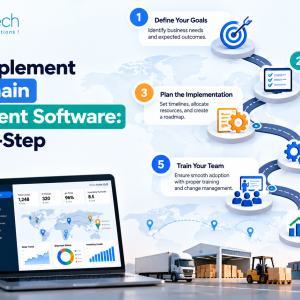
There’s no one-click upgrade from 5 to 6. Shopware 6 is a fresh installation and your data gets moved into it, which at least means the live store can keep trading while you work. The rough order of things:
- Build a new Shopware 6 instance on staging, separate from the live shop
- Audit plugins, themes, custom code and integrations
- Move products, categories, customers, orders and media with the Migration Assistant
- Rebuild or replace the theme in Twig
- Reconnect ERP, payment and shipping integrations through the new APIs
- Compare record counts, test checkout, then run a final delta migration before launch
- Set up 301 redirects wherever URLs change
The Migration Assistant moves data, not custom logic, and that’s the gap. Stores with heavily customised plugins or odd data structures often bring in a shopware development company to handle the field mapping and code rebuilds. Whoever does the work, the structure stays the same: map the data, transfer it, validate it. Skipping that last step is how records go missing without anyone noticing.
Benefits You Can Expect After Moving
Not every benefit shows up on launch day. Some are immediate, others build over the following months as people get comfortable.
The obvious one is being back on a supported platform, with security updates and compatibility fixes you don’t have to chase yourself. Day to day, editors can build pages without raising developer tickets, and the Rule Builder and Flow Builder take care of small manual jobs that used to eat time. Hooking up an ERP, CRM or marketing tool is simpler with an API-first design. Running several storefronts from one admin stops feeling like a hack. Later upgrades should hurt less too, since Shopware 6 leans on Composer and a cleaner extension model.
Then there’s the part people undersell: a migration forces a clear-out. You get to drop old plugins, fix messy product data and rethink the checkout. That’s often worth more than any single feature.
Conclusion
Moving from Shopware 5 to 6 is closer to a rebuild on better foundations than an upgrade, and the plan should reflect that. Start with the audit of plugins, themes and integrations, because that’s where the real effort hides. The data transfer is usually the easier half. Teams such as EmizenTech, which handle Shopware migrations, tend to treat that audit as the first deliverable, since the rest of the schedule depends on it.
FAQs
Is Shopware 5 still supported?
No. It has reached end of life, so Shopware no longer releases regular security updates for it. You’re relying on your own patching and on extensions that may stop being maintained.
Can I upgrade Shopware 5 to 6 in place?
No. Shopware 6 is installed as a new system and your data is migrated into it. The upside is that the work can happen on staging while the live store keeps selling.
Will my Shopware 5 plugins and theme work in Shopware 6?
No. Plugins and themes have to be rebuilt or replaced, since the architecture is different and the storefront uses Twig instead of Smarty.
How long does the migration take?
A store with a standard catalogue and few extensions can move in a few weeks. Larger stores with custom plugins, integrations or a long order history often take a few months.
Will migrating hurt my SEO?
Not if redirects, metadata and sitemaps are handled properly. Expect some short-term wobble, but mapping old URLs to new ones with 301 redirects keeps rankings largely intact.