

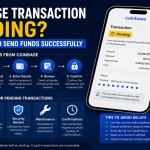

Seeing “Pending” beside a Coinbase transaction can be stressful, especially when you are sending crypto, depositing money, or waiting for a cashout. However, a Coinbase Transaction Pending status does not automatically mean your money is lost.
Most pending transactions are still being processed by Coinbase, a blockchain network, a bank, or a payment provider. Network congestion, missing confirmations, bank processing schedules, security checks, and account verification requirements can all create delays.
The right solution depends on the type of transaction. A crypto transfer requires different troubleshooting than an ACH withdrawal or card purchase. This guide explains the common causes, normal wait times, and safe steps you can take when a Coinbase transaction is delayed.
Important: Never share your password, two-step verification code, private key, or wallet recovery phrase with anyone claiming they can release a pending transaction.
What Does Coinbase Transaction Pending Mean?
A pending status means the transaction has been requested but has not reached its final completed state.
For an on-chain crypto transfer, Coinbase may have submitted the transaction to the blockchain, but the network has not provided enough confirmations. For a bank transaction, the bank or payment network may still be processing the transfer.
A Coinbase Pending Transaction may involve:
-
A cryptocurrency send or receive
-
A crypto purchase
-
A cash deposit
-
A withdrawal from a bank account
-
An instant cashout
-
A payment sent to an email address or phone number
-
A transaction requiring identity or security checks
The transaction may eventually show as Completed, Failed, Canceled, or Action Needed. Avoid submitting the same transfer repeatedly while the original request remains pending. Duplicate attempts can create additional holds or confusion.
Why Is My Coinbase Transaction Pending?
1. The Blockchain Needs More Confirmations
Crypto transactions are validated in blocks. Coinbase waits for a required number of confirmations before marking an incoming transaction as completed.
The required number can vary by asset and network. A transaction may appear on a block explorer but remain pending in Coinbase until it reaches Coinbase’s confirmation requirement.
This is normal and generally does not require another payment.
2. The Network Is Congested
Popular blockchains can become busy when transaction demand exceeds available block space. Validators or miners may prioritize transactions based on network conditions and fees.
When activity is high, a Coinbase Transaction Delayed message may remain visible longer than expected. Coinbase cannot directly control the speed of a decentralized network.
3. The Transaction Has No Confirmations
Open the transaction and select the option to view it on a block explorer. If the transaction has zero confirmations, it may still be waiting for network inclusion.
Coinbase advises contacting support if a Coinbase-initiated crypto send remains stuck at zero confirmations after you have waited and checked its status. Do not send another transaction unless Coinbase confirms that the original failed or was not broadcast.
4. Coinbase Temporarily Lost Network Synchronization
Coinbase operates blockchain nodes that communicate with external networks. A temporary synchronization issue can prevent Coinbase from immediately recognizing new confirmations.
According to Coinbase, these synchronization delays commonly resolve in under an hour, although unusual network conditions can take longer.
5. You Are Trying to Spend Pending Funds
Recently purchased or deposited assets may appear in your balance before they are available to withdraw. For example, an ACH deposit may be credited for trading while the underlying bank transfer is still clearing.
If you try to send those assets outside Coinbase, the new transaction may be blocked or delayed until the original deposit clears.
A trading balance and an available-to-cash-out balance are not always the same. Check the account’s available balance and any hold notice before retrying.
6. Your Bank Is Still Processing the Transfer
A Coinbase Payment Pending status can be caused by normal bank processing rather than a blockchain problem.
US ACH transfers typically take 3–5 business days. Weekends and bank holidays do not count as business days, so the total calendar wait may be longer. Coinbase says transaction details should display an estimated completion date.
Your bank may also delay a transaction because of:
-
Insufficient funds
-
Daily transfer limits
-
Incorrect account information
-
Account-name mismatches
-
Fraud-prevention reviews
-
A recently added payment method
-
Restrictions on cryptocurrency-related payments
7. Coinbase Needs Additional Information
Some deposits require identity verification, proof of address, sender information, or another compliance-related action.
Review Coinbase notifications, email messages, and in-account alerts. Complete requests only through the official Coinbase website or app. Avoid clicking links in unexpected messages claiming that your account will be closed or your funds will be seized.
8. The Recipient Has Not Accepted the Payment
Crypto sent through Coinbase to an email address or phone number may remain pending until the recipient accepts it.
Coinbase states that an unaccepted payment is generally returned after 30 days. While it remains pending, an eligible sender may be able to cancel it through Coinbase.com and return the funds to their balance.
This cancellation option does not apply to ordinary blockchain transfers that have already been broadcast.
9. Coinbase Is Experiencing a Service Problem
An outage or degraded service can affect purchases, sends, receives, payments, or bank withdrawals.
Before changing account settings, visit the official Coinbase Status page and check the component related to your transaction. If Coinbase has identified an incident, waiting for the service update may be the safest response.
How to Fix a Coinbase Pending Transaction
Step 1: Identify the Transaction Type
First, determine whether the transaction is:
-
A crypto send
-
An incoming crypto deposit
-
A crypto purchase
-
A bank deposit
-
A cashout or withdrawal
-
An email or phone number for payment
-
A Coinbase Wallet or Base app transaction
This matters because bank transfers cannot be diagnosed through a blockchain explorer, while on-chain transactions cannot be accelerated by contacting your bank.
Step 2: Review the Transaction Details
Open Coinbase and select the relevant asset or transaction history entry. Check:
-
Current status
-
Date and time
-
Amount
-
Payment method
-
Estimated completion date
-
Receiving address
-
Blockchain network
-
Transaction hash or ID
-
Any Action Needed notification
Take a screenshot for your records, but hide account numbers, addresses you consider private, and other sensitive information before sharing it.
Step 3: Check the Blockchain Explorer
For a crypto transfer, select View on the block explorer if the option is available.
The explorer can show whether the transaction:
-
Has been broadcast
-
Is waiting for confirmation
-
Is receiving confirmations
-
Has succeeded on-chain
-
Has failed
-
Used the expected destination address and network
If it is gaining confirmations, waiting is usually the appropriate response. If the explorer shows completion but Coinbase has not credited the funds, confirm that Coinbase supports the asset and network used.
Using the wrong network or an unsupported asset can result in permanent loss. Do not attempt “recovery” through an unknown person, social-media account, or unofficial website.
Step 4: Check Coinbase’s Status Page
Look for incidents involving:
-
The Coinbase website or mobile app
-
Digital currency sends and receives
-
The specific cryptocurrency
-
Payment methods
-
Bank accounts
-
Cashouts or withdrawals
Subscribe to status updates if the relevant service is experiencing a problem. Repeatedly resubmitting a transaction during an outage is unlikely to fix the underlying issue.
Step 5: Refresh and Update the App
If the blockchain shows the correct status but the app does not, try these basic steps:
-
Close and reopen Coinbase.
-
Sign out and sign back in.
-
Update the app.
-
Try Coinbase.com in a current browser.
-
Confirm that your internet connection is stable.
These steps can correct a display or synchronization issue, but they will not speed up the blockchain or bank network.
Step 6: Review Holds and Verification Requests
Check whether Coinbase has placed recently deposited funds on hold. Also look for requests to verify your identity, address, account information, or source of funds.
Complete any required action using the official Coinbase platform. The pending transaction may update after Coinbase finishes reviewing the information.
Step 7: Contact Your Bank When Appropriate
Contact your bank if a card or ACH transaction is pending beyond the estimated period or if you see a Coinbase Payment Failed notice.
Ask whether the bank:
-
Declined the transaction
-
Placed a security hold
-
Has a crypto-related payment restriction
-
Needs you to confirm the payment
-
Has a transfer or card-purchase limit
-
Returned the payment to Coinbase
A failed payment is different from a pending payment. If the bank reverses a Coinbase purchase after the crypto has been credited, your Coinbase account could develop an amount owed or a negative balance.
Step 8: Contact Official Coinbase Support
Contact Coinbase support when:
-
A crypto send remains at zero confirmations
-
A transaction is completed on-chain but is missing from Coinbase
-
The displayed completion date has passed
-
An unexplained restriction blocks the transaction
-
A bank withdrawal is overdue
-
You believe the payment is unauthorized
-
Coinbase asks you to contact support
Provide the transaction ID, asset, network, amount, date, and screenshots of the status. Never provide your password, two-factor authentication code, private key, or recovery phrase.
Can You Cancel a Coinbase Transaction Pending?
Most on-chain cryptocurrency transactions cannot be canceled after they have been broadcast and confirmed. Blockchain transfers are generally irreversible.
However, limited exceptions may exist:
-
An email or phone-number payment may be cancelable before the recipient accepts it.
-
An open trading order may be canceled before execution.
-
Some self-custody wallet transactions may support replacing or canceling a pending transaction, depending on the network and wallet features.
Do not assume that a cancel button is available. Check the transaction details. If Coinbase does not display an official cancellation option, avoid third-party services promising to reverse or unlock the transfer.
How to Reduce Future Coinbase Transaction Delays
You cannot prevent every delay, but these precautions can reduce problems:
-
Verify the recipient’s address and network before sending.
-
Send a small test amount before making a large transfer.
-
Review Coinbase’s status page before an urgent transaction.
-
Avoid waiting until a payment deadline.
-
Keep your Coinbase app and account information updated.
-
Complete identity requests promptly.
-
Review the estimated arrival date before confirming.
-
Maintain enough money in your bank account for purchases.
-
Remember that weekends and holidays can extend bank processing.
-
Use only supported cryptocurrencies and networks.
Coinbase Transaction Pending FAQs
1. Why has my Coinbase transaction been pending for hours?
Blockchain congestion, insufficient confirmations, a Coinbase service incident, an account review, or a transaction that was not successfully broadcast can cause an extended delay. Check the transaction on a block explorer and review the Coinbase Status page.
2. Will Coinbase return a pending transaction automatically?
It depends on the transaction type. A valid on-chain transaction normally completes after receiving enough confirmations. A payment sent to an unaccepted email address or phone number may be returned after 30 days. Bank transactions follow the payment provider’s processing and return rules.
3. Can Coinbase speed up a pending crypto transfer?
Coinbase generally cannot control how quickly a decentralized blockchain confirms a transaction. For a send from your Coinbase account, monitor the confirmations and contact official support if the transaction remains at zero confirmations.
4. Why does Coinbase show pending when the blockchain says completed?
Coinbase may still be synchronizing with the network, checking the required number of confirmations, or reviewing deposit requirements. Confirm that you used a Coinbase-supported asset and network. Contact support if the account does not update after a reasonable period.
5. What is the difference between Coinbase Payment Pending and Coinbase Payment Failed?
Pending means processing is not finished. Failed means the payment was not successfully completed. A failed payment may result from insufficient funds, a bank decline, a security review, incorrect payment information, or a timeout.
6. How long does a Coinbase bank withdrawal take?
For US customers, a standard ACH withdrawal commonly takes 3–5 business days. Weekends and bank holidays may extend the calendar wait. Eligible instant cashouts often arrive in about 30 minutes but can take up to 24 hours, depending on the bank or card provider.
7. Is my money safe when a Coinbase transaction is pending?
A pending label alone does not mean funds are lost. Verify the address, network, transaction ID, account alerts, and service status. If the transaction is unauthorized or the estimated arrival date has passed, secure your account and contact official Coinbase support immediately.
Conclusion
A Coinbase Transaction Pending status usually means that a blockchain, bank, payment provider, or Coinbase review process has not finished. Start by identifying the transaction type, checking its details, and reviewing any available blockchain confirmations.
For crypto sends, wait at least 30 minutes and use the official block explorer link. For bank transfers, follow the estimated completion date and count only business days. If the transaction remains stuck, has zero confirmations, or shows completed on-chain without appearing in Coinbase, contact official support with the transaction details.
Most importantly, do not submit duplicate transfers or trust anyone promising to unlock the payment in exchange for a fee, password, verification code, or recovery phrase.